
In this guide
Choosing an SAT date is more than selecting a Saturday. You also need a realistic preparation window, a workable test center, a compatible device, and enough time to resolve registration or identification questions. A date that looks convenient on a calendar may be less convenient when placed beside school exams and application deadlines.
This article was checked against College Board’s published information on October 4, 2026. The October 3 administration has passed and is not listed as an upcoming test. Use the official pages linked below for the latest availability, requirements, and changes before making a booking.
The calendar is an information snapshot. The planning examples and checklists are ACE1600 editorial guidance, designed to help you complete the steps in a sensible order. They are not a substitute for the requirements in your College Board account or instructions from your school.
Read the visual as text
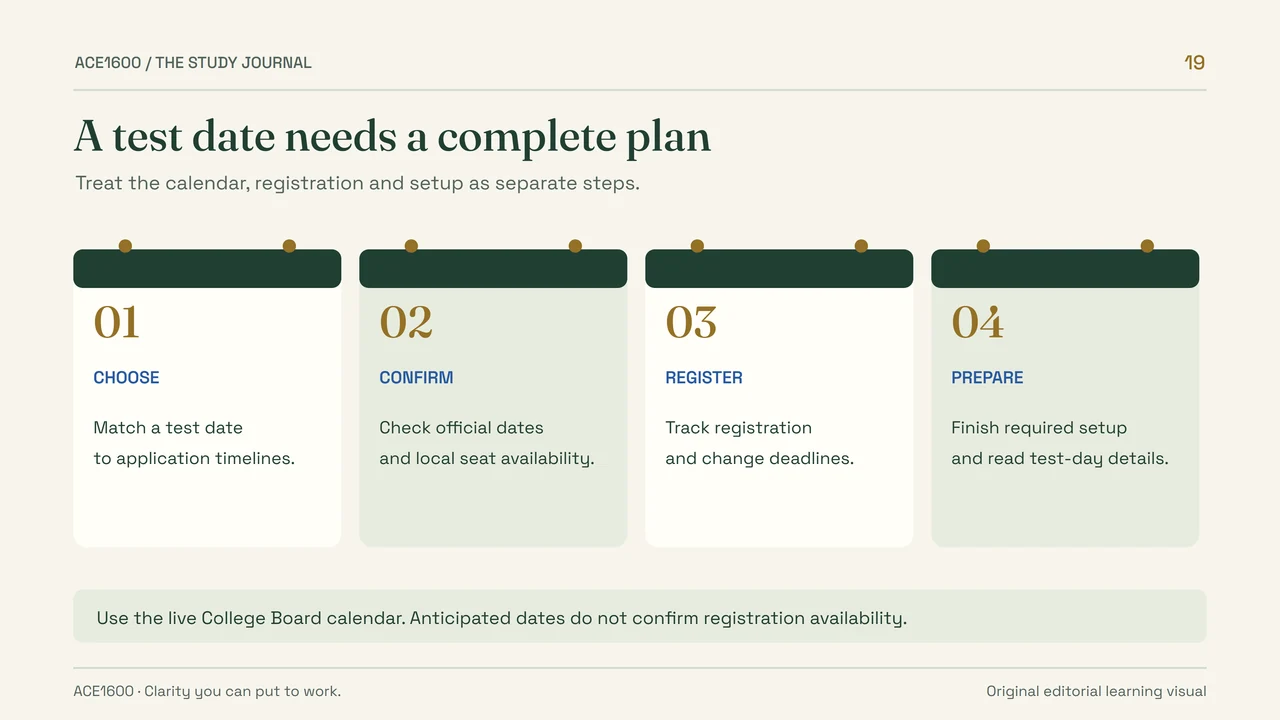
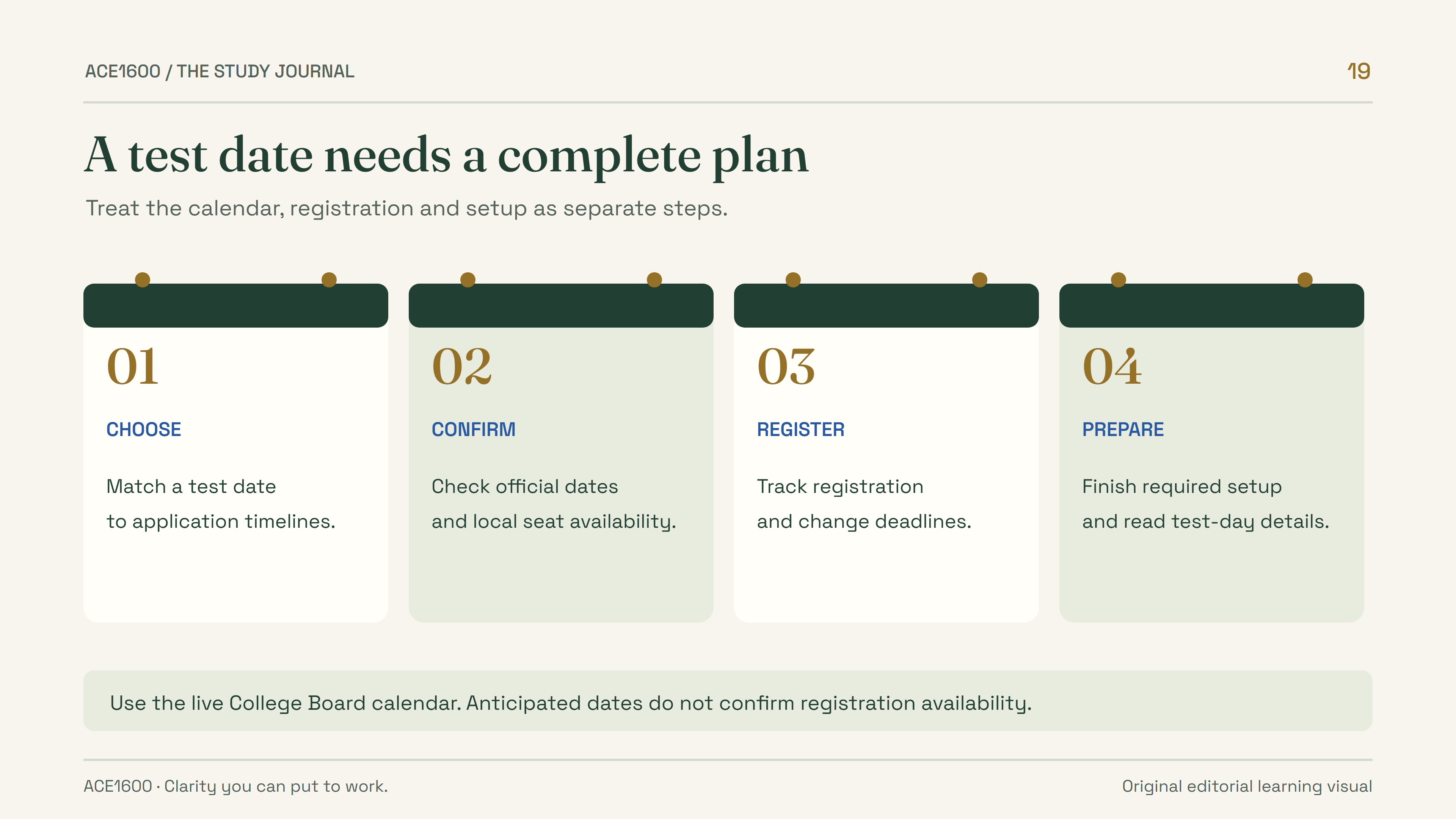
- Choose a test date with your application timeline in mind.
- Confirm the official calendar and the availability of local seats.
- Track registration and change deadlines separately.
- Complete required setup and read your test-day instructions.
- Use the live College Board calendar; anticipated dates do not confirm registration availability.
1. Use the remaining confirmed calendar
College Board lists these remaining SAT Weekend dates through June 2027 for U.S. and international students. Deadlines expire at 11:59 p.m. U.S. Eastern Time. [1]
| Test date | Regular registration | Changes, regular cancellation, and late registration |
|---|---|---|
| November 7, 2026 | October 23, 2026 | October 27, 2026 |
| December 5, 2026 | November 20, 2026 | November 24, 2026 |
| March 6, 2027 | February 19, 2027 | February 23, 2027 |
| May 1, 2027 | April 16, 2027 | April 20, 2027 |
| June 5, 2027 | May 21, 2027 | May 25, 2027 |
Put the regular registration deadline into your calendar as soon as you begin considering a date. Then add a personal reminder earlier than that deadline so you have time to check details and ask for help. A reminder is useful only if it leaves room to act on a problem you discover.
Do not assume the deadline falls on the same local calendar day or at midnight in your location. If you are outside the Eastern Time zone, use a reliable time-zone conversion for that particular date. Daylight-saving changes make a single memorized offset a poor year-round rule.
The presence of a test date in this table does not tell you which nearby centers have seats. Check the available options during registration. If travel would be difficult, consider that constraint before committing to a date that leaves little flexibility.
Late registration should be a fallback to investigate, not the foundation of your plan. A later deadline does not create extra preparation time or guarantee a preferred center. Review the applicable terms and fees in the official registration process rather than relying on an old screenshot or another student’s experience.
2. Choose the date from your full calendar
Start with the deadlines that matter for your intended applications and verify each institution’s current testing policy and score-submission requirements directly. Then consider preparation, school assessments, travel, and family commitments. Work backward from those constraints instead of selecting the earliest available test by default.
A test date that fits your situation
- Application needsCheck directly
Confirm each institution’s testing and score-deadline requirements.
- PreparationAssess honestly
Use current practice evidence and the time you can realistically study.
- LogisticsInspect the details
Consider centers, travel, accepted ID, and device arrangements.
- RegistrationComplete and confirm
Book the appropriate option and verify the details in your account.
Original planning scenario: two possible dates
A student is considering two administrations. The earlier one falls immediately after school examinations, while the later one offers more study time but is closer to an application deadline.
The decision should not be made from study time alone. The student checks the institution’s accepted score timeline, then compares the preparation and travel demands for each option.
If an essential deadline is unclear, the next task is to verify it with the institution. Guessing would turn an avoidable information gap into a scheduling risk.
Leave room for review between practice tests. A calendar filled with full-length attempts but no repair sessions may look busy while providing little targeted learning. Count the study sessions you can actually complete, including time to understand mistakes.
Avoid choosing a date as a punishment for feeling behind. A useful deadline provides direction; it should be considered alongside actual readiness and requirements. Discuss the tradeoffs with a parent, counselor, or teacher when their help would make the decision clearer.
3. Finish registration with a verification pass
Use College Board’s registration guidance and your own student account. The official registration page directs students to the online process and current requirements. [2] Before beginning, gather the information you will need and make sure you can access the account you intend to use.
Treat registration as a task with a beginning and an end. Starting a form, selecting a date, or discussing a center does not necessarily mean that registration is complete. Check the final status in your account and save a concise record of the confirmed date and location.
- Open the official registration process and confirm that you are using the correct student account.
- Check personal information carefully, including the name that must align with your accepted identification.
- Review the test date and actual center location, not just the city name.
- Read the current charges and applicable terms before completing payment or using an eligible benefit.
- Return to the account summary and confirm the registration details after completion.
- Add the date, location, and remaining preparation tasks to a calendar you will actually check.
Have a second person review the factual details if that is helpful, while keeping the student involved in understanding the plan. A parent can catch a location error, but the student should still know where the account information lives and what remains to be done.
Keep payment receipts and registration confirmations somewhere easy to retrieve. You do not need to distribute personal details across several group chats or public documents. A private folder and a small calendar entry are often sufficient.
If something is wrong, use the official change or support process promptly. Do not create a second account or a second booking simply because you are unsure how to correct the first. The relevant official guidance is the best place to resolve account-specific questions.
4. Handle devices and accommodations before the ordinary deadline
Some arrangements need earlier action than regular registration. College Board says a device-lending request must be completed at least 30 days before test day, and submitting a request does not guarantee a device. [3] If you need this option, check the process immediately rather than waiting for the normal registration cutoff.
For the November 7, 2026 administration, 30 days earlier is October 8, 2026. That arithmetic makes the timing especially relevant to a student reading this article on October 4. Confirm the official instructions and account options before assuming a request can be arranged.
Accommodations have their own documentation deadlines. College Board notes that review can take up to seven weeks and may take longer when additional information is required. The published deadline for December 5, 2026 requests is October 16, 2026; use the official table for other dates. [4]
Different tasks, different clocks
- RegistrationPublished test deadline
Complete the booking and verify its details.
- Device lendingEarlier request window
Check eligibility, submit the request, and confirm the outcome.
- AccommodationsSeparate documentation deadline
Work with the appropriate school contact and review the official process.
- Exam setupFinal preparation step
Follow the instructions for your testing device or loaned-device arrangement.
A request, an approval, and a completed registration are different states. Keep a short checklist that records which one has happened for each arrangement. This prevents a conversation about support from being mistaken for confirmation that the support is in place.
If your school helps coordinate accommodations, contact the relevant staff member early and provide the information they request. For an unresolved or late request, seek official guidance rather than assuming the ordinary registration deadline controls the process.
5. Check identification and the device you will actually use
College Board requires acceptable identification and matching registration information; an admission ticket alone is not sufficient. Country-specific requirements can apply, so read the full ID guidance for your situation. [5] Check the actual document now, including validity and the name shown, instead of discovering a mismatch in the final week.
The practical point is to inspect evidence, not rely on memory. “I have an ID somewhere” is not a completed task. Locate it, review the current requirements, and decide where it will be kept for test day. If an issue needs correction, early discovery gives you more options.
For a personally provided testing device, follow College Board’s Bluebook and exam-setup instructions. The official guidance says to complete exam setup 1–5 days before the test; it produces the admission ticket. Loaned devices have a separate test-day setup process. [6] [3]
Original checklist example: turn a vague task into a completed one
Vague task: “Sort out the laptop.”
Concrete tasks: identify the device, check current Bluebook compatibility, confirm you can sign in, practice using it, plan charging, and complete exam setup when the official window opens.
The sequence separates long-lead preparation from the final setup step. It also makes it easier for a parent or counselor to help with a specific obstacle.
Rehearse the ordinary actions you will need: using the keyboard, reading on the screen, managing scratch work, and finding the relevant Bluebook tools. A familiar device can reduce avoidable friction, but familiarity does not replace the current technical requirements.
Check official messages and your account as the date approaches. Save the relevant instructions in one place and avoid mixing them with screenshots from an older administration. If instructions conflict, use the current official guidance and seek clarification where needed.
6. Treat anticipated dates as planning references
College Board labels the following dates as anticipated for 2027–2028: August 28, September 18, October 9, November 6, and December 4, 2027; March 4, May 6, and June 3, 2028. Registration deadlines for these dates are not supplied in the current calendar table. [1]
An anticipated date can help you sketch a future school-year plan, but it should remain visibly tentative. Do not invent registration deadlines by copying the interval from a confirmed date. Do not assume that an anticipated date means registration is already open for that administration.
Use a separate calendar label such as “tentative SAT planning date.” When the official schedule and registration become available, review the plan again. This preserves the usefulness of early planning while preventing an estimate from becoming a false commitment.
A long-range plan should also leave room for changing school demands and application choices. The purpose is to identify a possible preparation period, not to lock a student into a year of dates before their needs are clear. Review the plan at meaningful points, such as when school exam schedules or institutional requirements are published.
If you take an in-school assessment, follow your school’s process rather than assuming the SAT Weekend booking steps apply. The testing context determines who coordinates the arrangements. Ask the school contact which dates and tasks belong on your personal checklist.
7. Keep a one-page plan and update it deliberately
A useful plan contains the chosen date, confirmed center, key deadlines, device and ID status, and the next preparation task. Keep the information brief enough that you can review it quickly. Put unresolved questions at the top so they do not disappear beneath a long list of completed tasks.
| Item | What to write |
|---|---|
| Test | Chosen administration and whether registration is confirmed. |
| Location | Exact center and a realistic travel plan. |
| Deadlines | Regular registration plus any separate support or application deadlines. |
| Readiness | Current practice evidence and the next two study priorities. |
| Documents and device | What is checked, what is pending, and who will help if needed. |
| Final steps | When to review official messages and complete the required setup. |
Review the plan after any meaningful change: a different center, a revised application deadline, an equipment problem, or a new school commitment. Updating one reliable record is better than keeping several inconsistent versions.
The most useful next action is often small. Open the official calendar, confirm one requirement, or inspect the identification document. Complete that action and record the result before moving to the next. This turns a distant test date into a sequence of manageable decisions.
Return to the sources below before booking or making a time-sensitive change. This article provides a dated map of the process; the official pages and your account provide the current instructions that govern your registration.
Sources & further reading
Rules and policies were checked on October 4, 2026. Follow the linked official pages for changes. Study plans and worked examples are A1600 editorial guidance.
- SAT Suite Test Dates and Deadlines (opens in a new tab)College Board
- SAT Registration (opens in a new tab)College Board
- SAT Device Lending (opens in a new tab)College Board
- Know Your Dates and Deadlines (opens in a new tab)College Board Services for Students with Disabilities
- SAT ID Requirements (opens in a new tab)College Board
- What to Bring and Do on Test Day (opens in a new tab)College Board